CatOS 2026.08.05 Release Notes
CatOS 2026.08.05 focuses on installation, the boot chain, and desktop configuration management. Compared with 2026.07.19, this release adds Secure Boot support, Catdot Profiles, a new Niri + Noctalia option, and a redesigned online-installation progress pipeline.
Secure Boot and the ISO build pipeline
Release images now use a pinned Archiso build tree with signed ISO builds, build-host checks and real image verification. Both the standard and NVIDIA live images use the Secure-Boot-capable UEFI path.
The installed-system lifecycle is handled by the new catos-secureboot package. When Secure Boot is active, the installer prepares a machine-specific key, signs kernels, external kernel modules and EFI boot artifacts, and keeps those signatures maintained after later kernel, DKMS or boot-file updates.
Automatic integration currently covers GRUB, Limine, systemd-boot and UKI. rEFInd and Linux EFI Stub are hidden when Secure Boot is active.
Online installation now reports real download progress
The Pacman and pacstrap progress pipeline has been redesigned. The installer can now show downloaded and total data, current transfer speed, active package names, repository-refresh phases, package-transaction phases and more continuous overall progress.
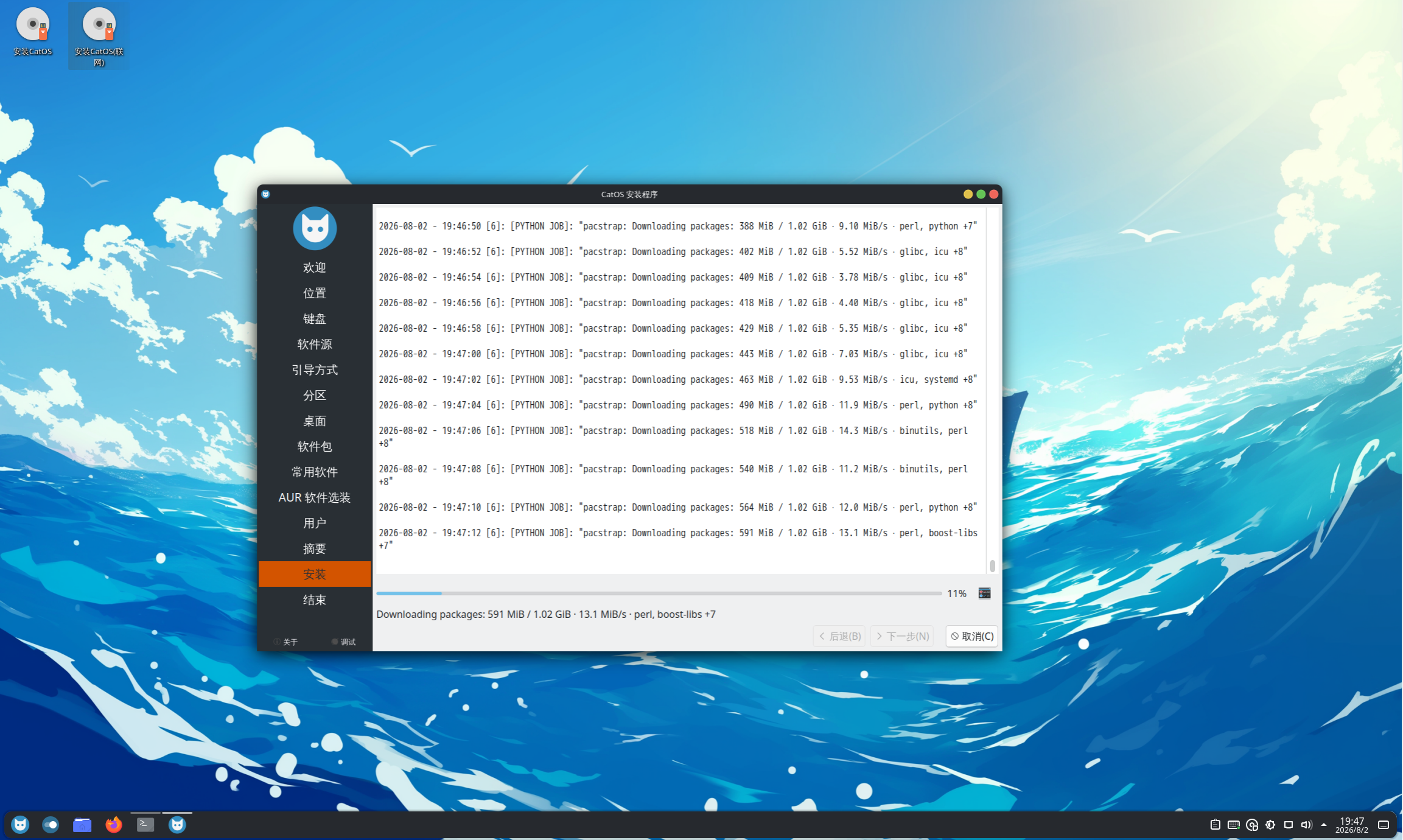
Failures retain recent Pacman or pacstrap output together with the failed command and exit status, making repository, signature and package failures easier to diagnose. Custom progress text is also localized.
The CachyOS repository option is now shown only on CPUs with x86-64-v3 capability, with fallback mirrors and a more reliable keyring bootstrap path.
Catdot Profiles
This release introduces catdot for complete CatOS user-configuration Profiles. A Profile declares exact package names, HOME paths that remain managed by Catdot, and one-time seed configuration.
Catdot backs up existing user files before replacing them and retains the five most recent backup generations. Configuration updates are explicit: a package upgrade alone does not silently overwrite the accepted desktop configuration revision.
Common commands include:
catdot list
catdot current
catdot show PROFILE
catdot select PROFILE
catdot update [PROFILE]
catdot remove PROFILE
catdot prune
The installer activates Profiles in package-verification mode after package deployment, avoiding a second Pacman installation transaction. In addition to the two Niri choices, Sway, Labwc and Wayfire are migrated to their own Catdot Profiles in this release.
Dedicated Niri + DMS Profile and new Niri + Noctalia option
Niri + DMS now ships as the dedicated catos-niri-dms Profile, managing the stable Niri session, portals, GTK baseline, icons and desktop tools while leaving long-term user-owned input, output and rule configuration as one-time seeds.
The installer also adds Niri + Noctalia, combining Niri, Noctalia Shell, XWayland Satellite and its Catdot Profile. CatOS 2026.08.05 therefore offers 16 graphical desktop or window-manager choices, plus No Desktop.
Niri + Noctalia is new in this release and currently has less testing coverage than long-established choices such as KDE Plasma.
Boot methods: rEFInd and improved Limine integration
Online installation now offers six boot methods: GRUB, Limine, rEFInd, systemd-boot, Unified Kernel Image (UKI), and Linux EFI Stub.
Limine integration now includes the CatOS theme, limine-tool management and validated Btrfs snapshot entries. The installer verifies actual bootable kernel assets rather than only checking whether a configuration file exists.
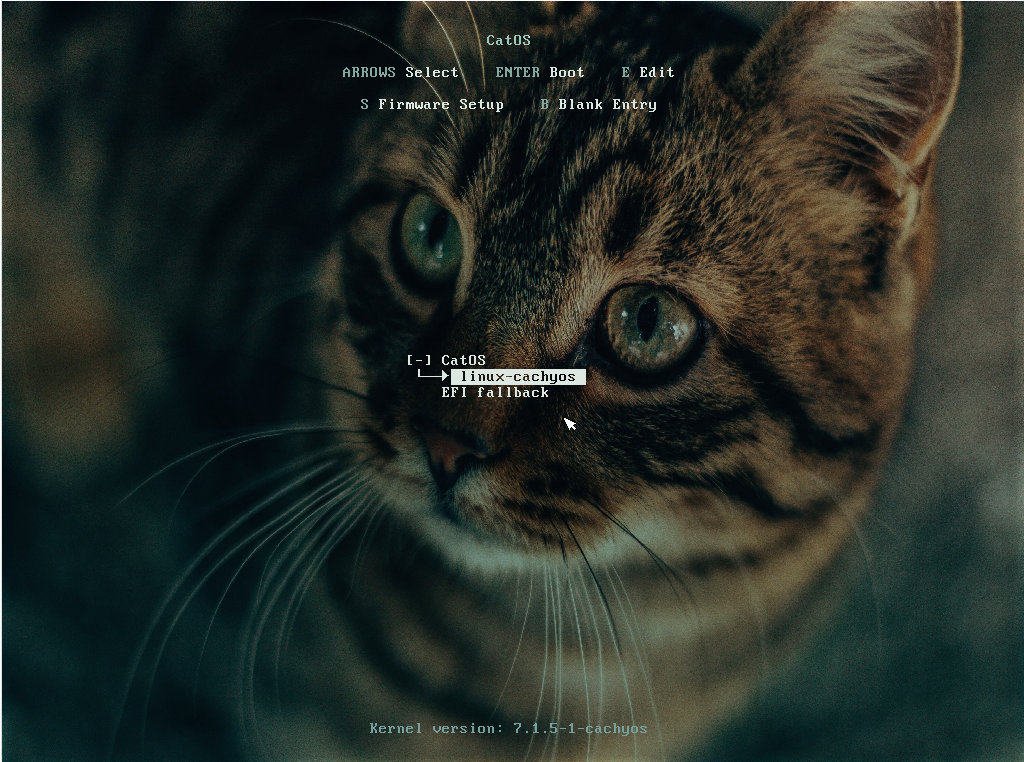
rEFInd is a new graphical UEFI boot-manager option for users who want automatic discovery of operating systems and Linux kernels. CatOS bootable Btrfs snapshot integration is not currently provided for rEFInd.
Desktop appearance and login changes
The live environment moves from SDDM to Plasma Login Manager and removes stale SDDM configuration. KDE gains a CatOS Light global theme and light Plasma theme, together with fixes for panel layout, task indicators and cursor defaults.
GNOME, Xfce, Labwc, Sway, Wayfire and shared GTK settings also receive normalized branding assets, wallpaper paths and icon-theme dependencies.
Shell and terminal defaults
CatOS now ships dedicated Bash, Fish, Zsh and Vim configuration packages, together with a shared Starship prompt and terminal symbol font. The online installer's Shell choices install the CatOS configuration rather than only the shell executable.
Other fixes
- Add
archlinuxcn-keyringto the live images; - add
ckbcompfor keyboard-layout preview support; - add RTKit to the live session;
- fix Chinese keyboard mapping for the console keymap;
- separate online and offline package cleanup;
- separate display-manager and desktop Profile setup so optional desktop customization failures are less likely to invalidate an otherwise bootable installation;
- fix icon-theme dependencies and asset paths across several desktop Profiles.
The documentation has been updated for the new release. Verify the SHA-256 value of the CatOS 2026.08.05 image before installation.